misNotas
Digital notebook

Your handwritten notes, on iPad, iPhone and Mac.

misNotas is a notebook for writing and drawing with Apple Pencil or your finger. Organise your notes in notebooks and folders, and keep them on all your devices with your iCloud.

iPad iPhone Mac
See what it can do Now on the App Store

See misNotas in use

Real screens from the app, with handwritten notes.
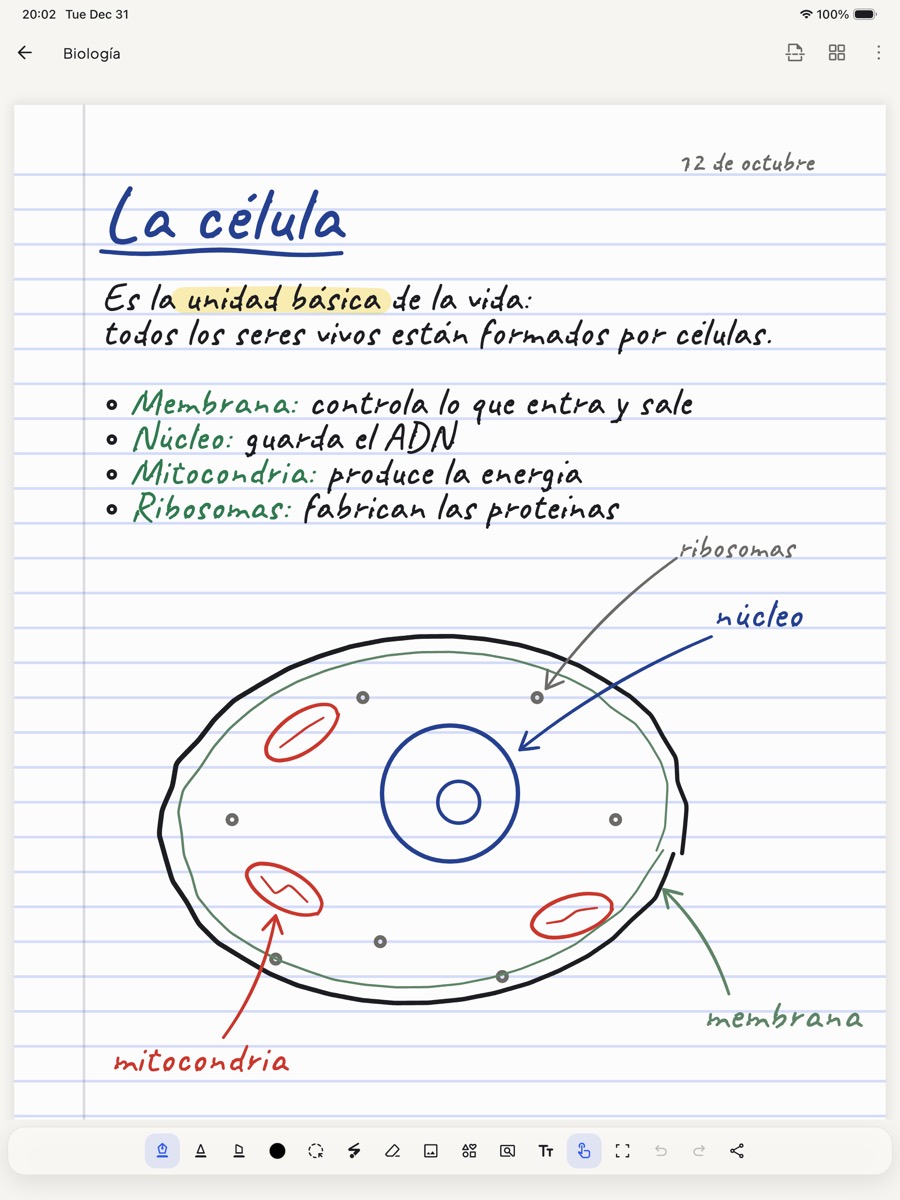
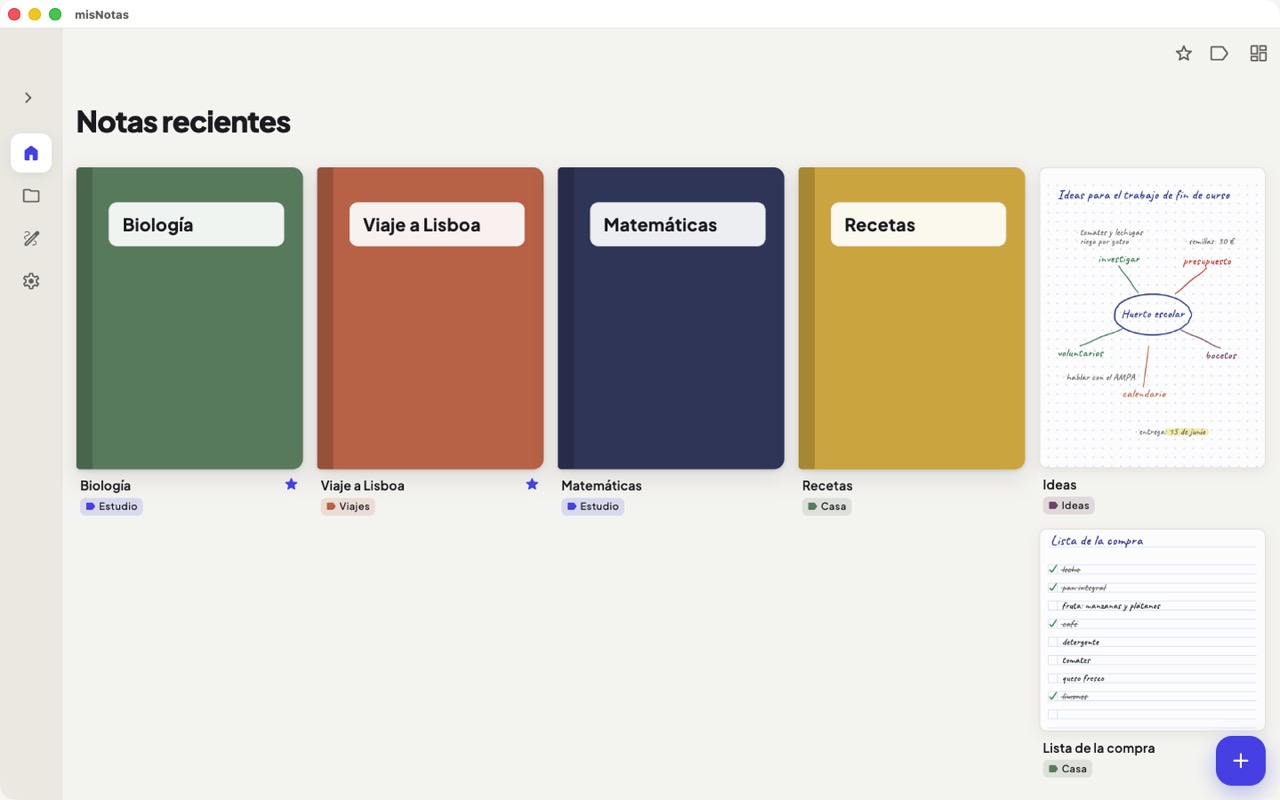
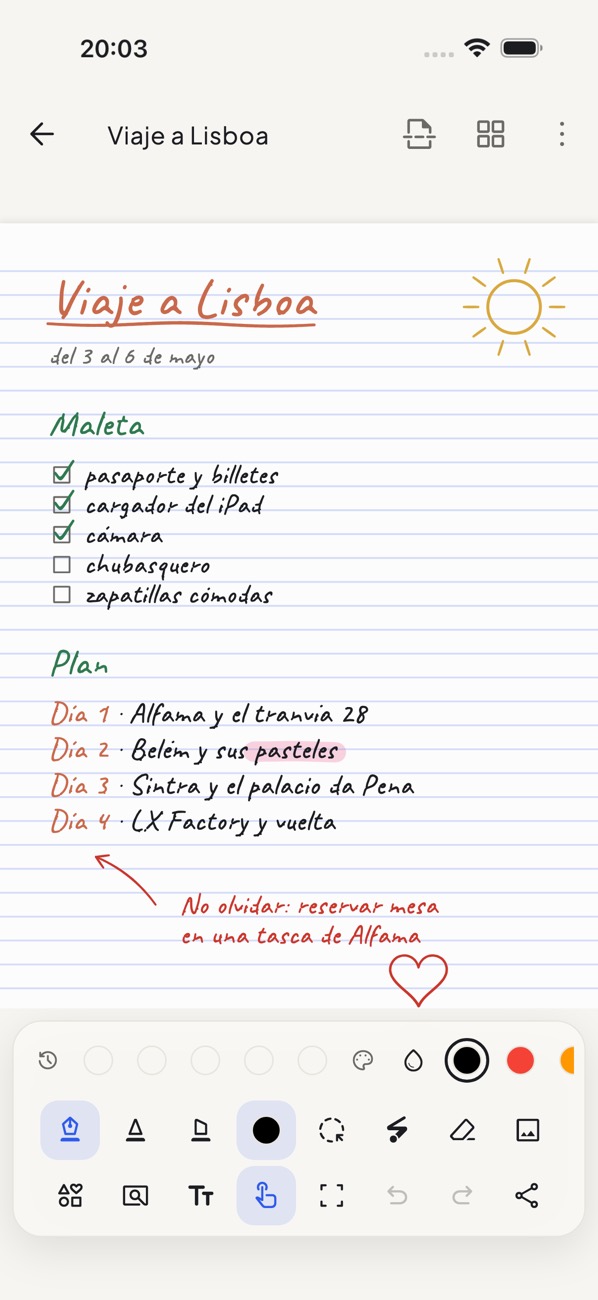
These screens show the app in Spanish. misNotas is also available in English and follows your device language.

Everything you expect from a notebook

Plus what paper can't do: undo, move what you wrote, change a page's background and take it all with you.

Write

Natural handwriting

Pen, highlighter and laser pointer. With Apple Pencil, your palm leaves no marks and your finger moves the page.

Notebooks

Notebooks with covers

Create notebooks with a coloured cover and, if you like, an image. Change the cover or turn a note into a notebook.

Organise

Folders, favourites and tags

Keep your notes in folders, star the important ones and group them with coloured tags.

iCloud

The same notes everywhere

Choose an iCloud Drive folder and your notes appear on iPad, iPhone and Mac. If you edit a note in two places, you keep both versions.

PDF

PDFs, images and text

Import a PDF and write on it, insert photos and crop them, and add text wherever you tap on the page.

Tools

Shapes, zoom and stickers

Shapes straighten themselves, the zoom window lets you write large, and what you use most can be saved as a sticker.

Fix

Erase only what you need to

The eraser removes whole strokes or just the part you touch. Draw around your writing to move, resize or duplicate it.

Pages

A background for everything

Lined, grid, dotted, staff, Cornell, weekly planner and checklist. Insert, duplicate or delete pages.

Share

Export and open files

Export a note as a PDF or a PNG image. Open notes and PDFs from the Files app or Finder.

Quick guide

The essentials to get started. The full guide is in the app, in Settings › Help.

Getting started
  • Tap the + button to create a note or a notebook, or to import a PDF or a note.
  • Home shows your recent notes; Browse, all your notes and folders; Whiteboard is a quick sheet for loose jottings.
  • Tap a note to open it. It saves itself as you write.
Writing and drawing
  • Pick the pen, highlighter, shape pen or laser pointer. Tap the tool again to change its size and colour.
  • With Apple Pencil, your finger moves and zooms the page and your palm is ignored. Turn on "Draw with finger" to write with your finger.
  • With the shape pen, draw a line, rectangle or circle and misNotas straightens it.
  • Star your favourite pens and colours to keep them at hand.
Erasing, selecting and zooming
  • The eraser removes whole strokes or just the part you touch; choose in its options.
  • With Select, draw around strokes and images to move, resize, duplicate or delete them, or save them as a sticker.
  • The zoom window magnifies part of the page so you can write large.
Text, images and PDFs
  • Tap the text button, then tap where on the page you want to write.
  • Photo inserts images from Photos or Files. Tap an image to crop it, use it as the page background or delete it.
  • Import a PDF to write on its pages.
Pages and backgrounds
  • Writing on the last page adds a blank one at the end.
  • From the note's menu (the three dots) you can insert, duplicate or delete pages and change the background.
  • Choose the background for new notes in Settings.
Organising
  • In Browse you can create folders and move between them.
  • Press and hold a note to select it. The bottom bar lets you rename it, change its cover, favourite it, tag it, move it, delete it or export it.
  • Tap the star on Home to see only your favourites, and the tags button to see a tag's notes.
Syncing with iCloud
  • In Settings › Sync, choose an iCloud Drive folder on each device.
  • Changes reach your other devices by themselves. Notes still in the cloud download when you open them.
  • If you change the same note on two devices at once, misNotas keeps both versions and lets you choose.
Sharing and opening files
  • Export a note as a PDF, a PNG image or an .sba file to pass it on.
  • Open notes (.mnt), .sba files and PDFs from the Files app or Finder with "Open with" or "Share".

Privacy policy

Your notes are yours. misNotas doesn't see them, doesn't send them anywhere and doesn't know who you are.

misNotas privacy policy

Last updated: 29 October 2026

misNotas is an app for handwritten notes on iPad, iPhone and Mac, developed by Roberto Arias.

We collect no data
misNotas has no accounts, ads or analytics, and sends neither your notes nor any other data to the developer's servers.
Your notes
They are stored on your device and, if you choose an iCloud Drive folder in Settings › Sync, in your iCloud account. Apple stores them under its own privacy policy. With iCloud Advanced Data Protection turned on, they are end-to-end encrypted.
Photos and camera
The app only accesses the photos you pick to insert into a note, and the camera only if you use it to take a photo. Images are stored inside the note.
Files
The app only opens the files (notes, PDFs) you pick or open with it from Files or Finder.
Settings
Your preferences are stored on the device.

For any questions, write to WAYF_app@outlook.es.

Leer esta política en español

Support

Something not working, or something missing? Write to me and I'll reply as soon as I can.

Roberto Arias

Developer of misNotas

Before you write

Tell me your device (iPad, iPhone or Mac), your version of misNotas, which you'll find in Settings › About, and what you were doing when the problem happened.